Skip to content
eTravos
TRAVEL TECHNOLOGY · IMPLEMENTATION & BUYER GUIDE

Bus Booking API for Travel Portals & Agencies

A bus booking API connects a travel website, mobile app or agent portal with a bus inventory provider. It allows your application to request routes, departures, fares and seat availability, then submit passenger details and booking requests. The commercial agreement and supplier documentation determine which operations are available. eTravos can help you plan the integration alongside your booking experience and operating processes.

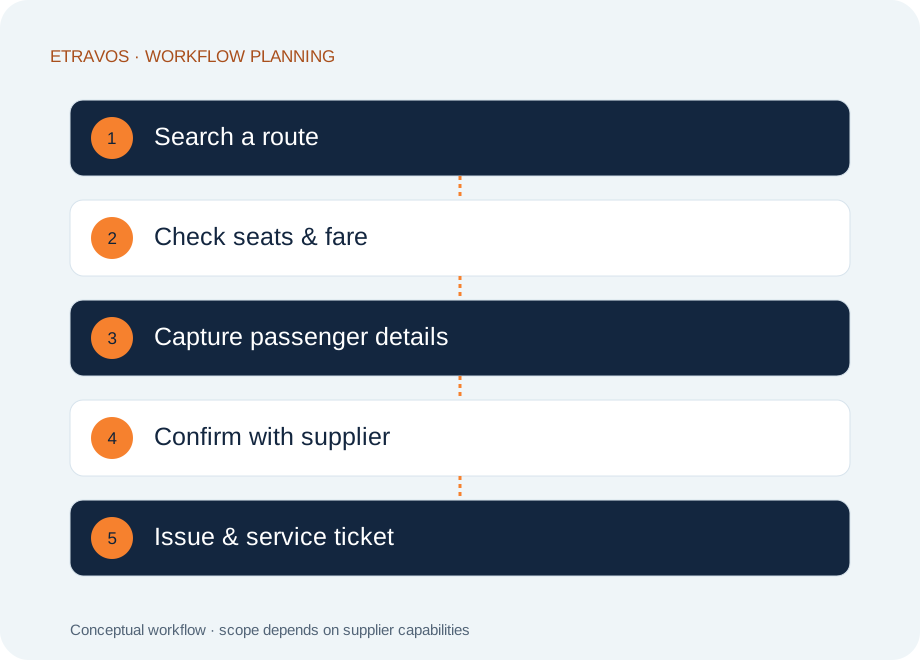
Search a route → Check seats & fare → Capture passenger details → Confirm with supplier → Issue & service ticket
Conceptual workflow. Supported operations are confirmed during scoping.
01 / Bus Booking API

What your customers need before they choose a seat

A useful search result explains the journey, not just its price. Show departure and arrival points, journey duration, bus type, operator, boarding location and the cancellation terms returned by the supplier. Keep the pickup point separate from the destination city so travellers know where to board.

Seat layouts must preserve the supplier’s seat identifiers. A visually available seat is not a guarantee until the supplier has accepted the booking. Recheck availability and the payable amount at the documented point in the transaction, and explain any change before asking the customer to proceed.

02 / Bus Booking API

Connect payment to a confirmed booking state

Payment success and ticket confirmation are separate events. The application needs a clear record of the customer payment, your internal booking reference and the supplier reference. If the supplier response is delayed, show a pending state rather than issuing a ticket prematurely.

Before implementation, agree how to recover from a timeout: query status where supported, reconcile the payment and booking references, and route unresolved cases to an operations queue. Blindly retrying a booking request can create duplicate reservations or charges. Use the supplier’s documented retry and idempotency behaviour.

03 / Bus Booking API

Support cancellation after the sale

Cancellation is a workflow with its own rules. Present the applicable policy before purchase, then retrieve the cancellation charge or eligibility when the customer requests a change. Where partial cancellation is supported, map the request to the correct passenger and seat.

Keep cancellation acceptance, refund initiation and money reaching the customer as separate statuses. The customer service team should be able to see the latest supplier response and payment reference without collecting screenshots from several systems.

Map the connection to your business.

Bring your supplier setup and customer journey. Define the next step with eTravos.

Request a consultation →
04 / Bus Booking API

Choose the right channel for your business

A customer-facing portal needs a concise journey from search to payment and ticket retrieval. An agent portal also needs user access, markups, credit or wallet rules, and booking reports. These are platform responsibilities around the API; an inventory connection does not automatically provide them.

For an existing application, start by documenting the current search, checkout and support flows. For a new business, decide whether a white-label portal, a B2B agent platform or a custom experience is the right starting point. This avoids selecting an API before the operating model is clear.

05 / Bus Booking API

What to request during technical evaluation

Ask for documentation, sandbox access, sample error responses and the steps required for production approval. Review authentication, timeout handling, request limits, seat-map conventions, cancellation support and status-query behaviour. Confirm whether prices contain taxes, fees and commissions or whether your application must calculate a separate commercial layer.

Evaluate coverage against your actual routes and travel dates rather than a headline operator count. A supplier may have different availability by route, date or commercial arrangement. Ask the provider to demonstrate representative searches and the complete post-booking journey.

06 / Bus Booking API

Test the exceptions, not only the happy path

Your acceptance plan should include an unavailable seat, changed fare, payment success with delayed confirmation, repeated submit, invalid passenger details, supplier downtime and cancellation outside the permitted window. Confirm what the visitor sees and what the operations team can do in each case.

Roll out with agreed monitoring and escalation contacts. Track search failures, booking completion, unresolved pending bookings and refund ageing separately. These measures help identify whether a problem comes from the user experience, payment integration or supplier response.

07 / Bus Booking API

Prepare a useful scope for your consultation

Share your sales channels, priority routes, existing supplier contracts, payment setup and expected booking volume. Include requirements for agent accounts, reporting, ticket formats and support ownership.

Ask eTravos to confirm the proposed suppliers, supported operations, integration responsibilities, testing process, commercial terms and ongoing support in writing. Documentation, availability, pricing and launch dates should be confirmed for your particular project; this page is an implementation guide, not a live inventory or pricing feed.

Frequently asked questions

Is a bus booking API the same as a booking portal?

No. The API exchanges inventory and transaction data. A portal adds the customer or agent interface, access controls, commercial rules, payments and support workflows.

Can one connection provide multiple bus operators?

It can if the provider aggregates them and your agreement includes that inventory. Compare the consolidated bus booking API approach when multi-operator distribution is the requirement.

Does payment success mean the ticket is confirmed?

Not necessarily. Confirm the supplier booking state before issuing the final ticket, and define a recovery process for pending or failed confirmations.

How much does integration cost?

Scope depends on suppliers, channels, existing software, payment integration and post-booking requirements. Request a written estimate after those items are reviewed.

What should we validate before choosing a bus API?

Compare route coverage, seat-layout accuracy, boarding and dropping points, cancellation rules and booking status behaviour. Test the routes your customers actually buy; an operator count alone does not establish usable coverage.

How should a failed or uncertain bus booking be handled?

Treat payment status and supplier booking status separately. An uncertain response should trigger a status check and an operations review, not an automatic second booking. Agree the refund and customer communication process before launch.

Can multiple bus operators use the same booking journey?

That depends on the supplier interfaces and commercial access available. The integration scope should define how operator-specific seats, fares, policies and ticket references are mapped without hiding differences that matter to the traveller.

Turn the requirements into a practical scope.

Tell us about your business model, suppliers and current software. We will discuss the relevant workflows and confirm the project scope before proposing delivery or commercial terms.

Talk to eTravos →
THE LATEST FROM ETRAVOS

Ideas for your next travel technology decision.

Explore practical guidance on platforms, integrations and booking operations.

View all articles →